
You are a Team Member (not the Hub Host)
-
Once you have that message, it'll look something like:
Hi Treasure(test name)! Follow these steps in order to successfully connect to the team website!
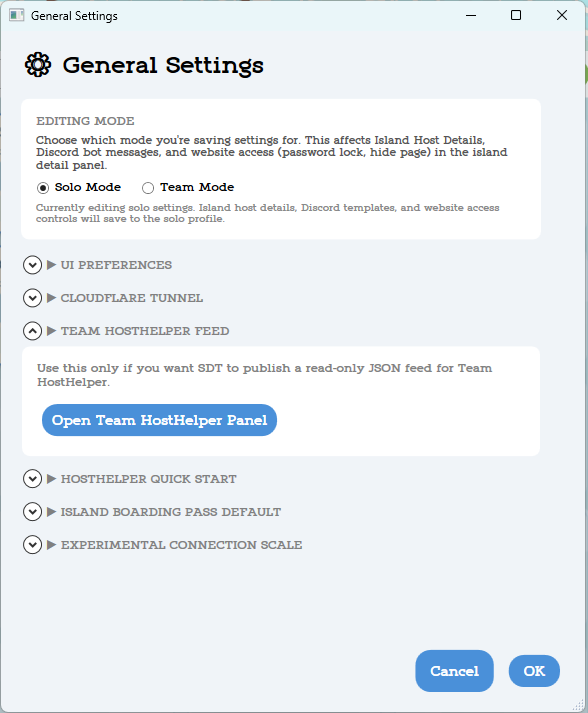
- Open Super Dodo Terminal → click the Book icon → Open Team HostHelper Panel.
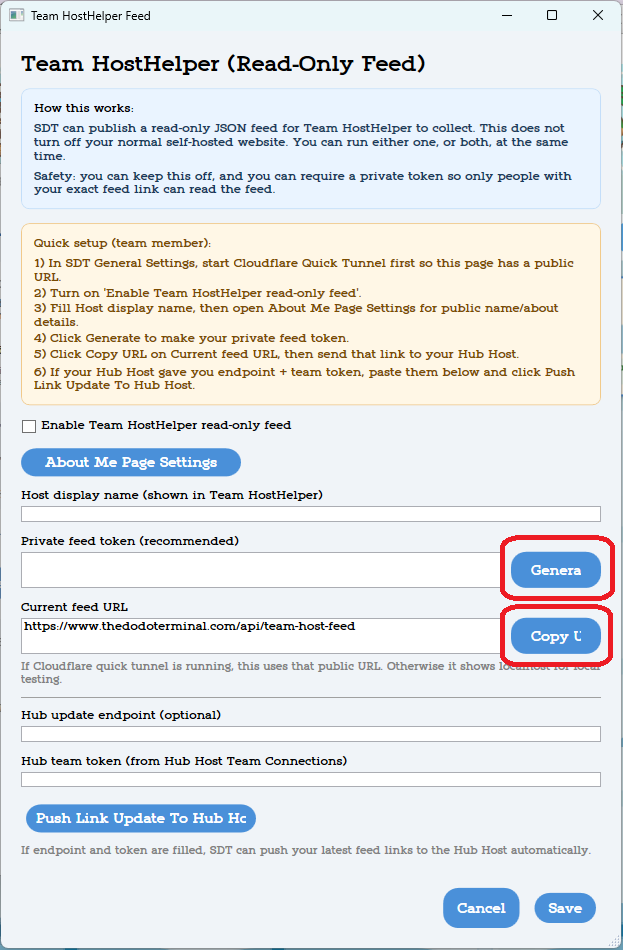
- Click Generate next to Private Feed Token if you want private feed protection, mostly helpful if you're hosting a solo website too, someone wont find the feed by accident and reveal codes without logging in.
- Paste this Team Token into Hub Team Token: 2sdfAy3h1mR32safghcPdas5m21sd4
- Paste this URL into Hub Update Endpoint: https://www.thedodoterminal.com/api/public/team/update-link
- Click Push Link Update to Hub Host, then Save. This window will auto close and you'll be linked to the Team website and can continue with full set up!
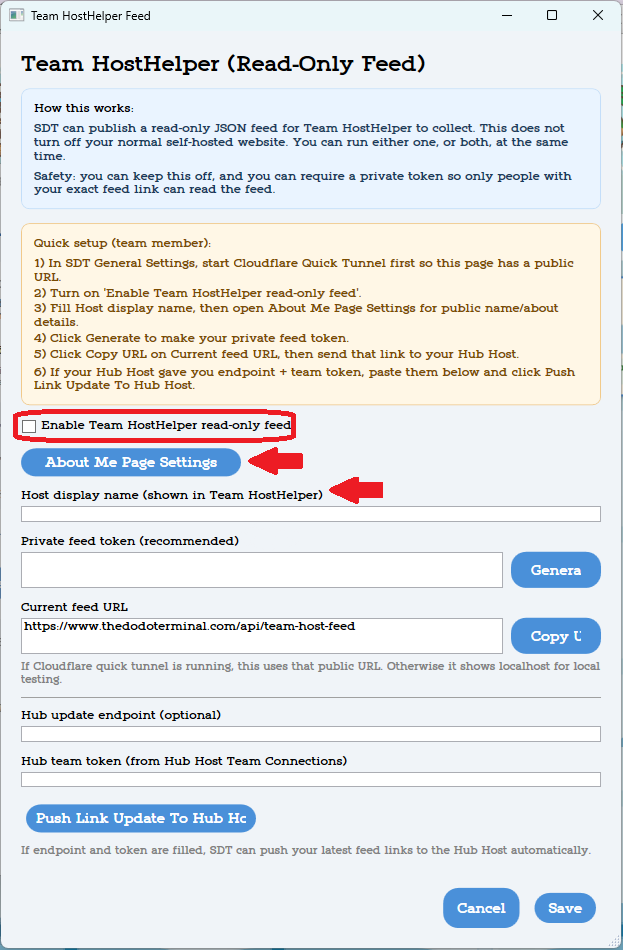
Directions for full set up: Open SDT → Click the Book icon → Open Team HostHelper Panel → About Me Page Settings to edit basic information.
- Fill out your display name (what you want on the website → This also displays on each individual island page, it overrides your in-game name if set)
- Fill out your About Me text. This section should have general info about you, fun facts, details about how long you've been playing/hosting, that sort.
- We don't use the Facebook link option for the About Me Pages because we only link to our main group. Please don't add a link to that setting in the Team Panel → About Me Page Settings, it wont show up!
- We allow visitors to donate directly to you, if they'd like. We offer this option using a donate icon on your About Me page, please do not add any mentions of donating or otherwise supporting you in your About Me section. If you leave the donation link blank it wont add the icon to your page. Buy Me A Coffee and Koi are great options if you're interested in accepting donations.
If you'd like to offer subscriptions to paid islands, complete SuperDodoTerminal → Bell Coin Icon → Subscriptions tab AND SuperDodoTerminal → Monetization Tools → PayPal Setup. You must own a domain (preferably through Cloudflare or otherwise must be transferred there) to enable subscriptions.
After setup, connect at least one switch and open gates so your island can populate on the website. Thanks for joining the team and happy hosting!
Now paste what the Hub Host sent you:
