
Hub Host subscriptions
Prerequisites:
-
You can also choose to do different subscription tiers with access to different
PAIDwebsite pages. Subscriptions unlock specific website pages. You'll determine which pages later in this section. Not recommended to change tier settings once you have active subscriptions.
Other Important Notes:
Your subscriptions only affect access on YOUR islands. If you also have team members offering their own subscriptions, those are handled separately through their own PayPal setup. A player subscribing to your plan does not give them access to a team member's
PAIDpages, only yours. If for some reason you ever change your domain, you must go through this guide again to update your PayPal webhooks. It does not update itself. Your team members will also need to update their PayPal return URLs if they reference your domain.
If you have existing subscribers through another tool, it is your responsibility to communicate that you're ending that service and migrating. The Discord tab in the Monetization Tools panel offers migration assistance but this is only to help get people set up on the new site where they can re-subscribe when their 'trial period' runs out. Essentially you should → send out a message to your subscribers stating you're migrating subscriptions to PayPal only → use the migration tool to share sign-up links which includes choosing a tier and time length to auto-assign (that way their already-paid subscription isn't lost) → direct players to make sure their OLD subscription is CANCELLED so they don't get double charged.
If you already have solo subscriptions set up and just want different plans for the team site, skip down to Step 3 — Create Billing Plans on PayPal
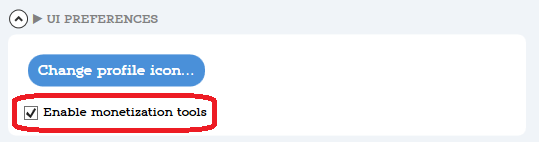
Step 1 — Enable Monetization Tools
You must change your account type to
Businessto use subscriptions. Find how to do that here. If you have any issues accessing the developer portal you'll need to use PayPal chat or phone support to fix access. You cannot set up subscriptions without this panel. I've personally had to contact chat numerous times to fix my access, it very randomly will sayNO ACCESSfor no reason beyond to be annoying. Use PayPal support for issues here!!! This will be annoying to set up but then you don't have to look at it again unless you change subscription options ;)
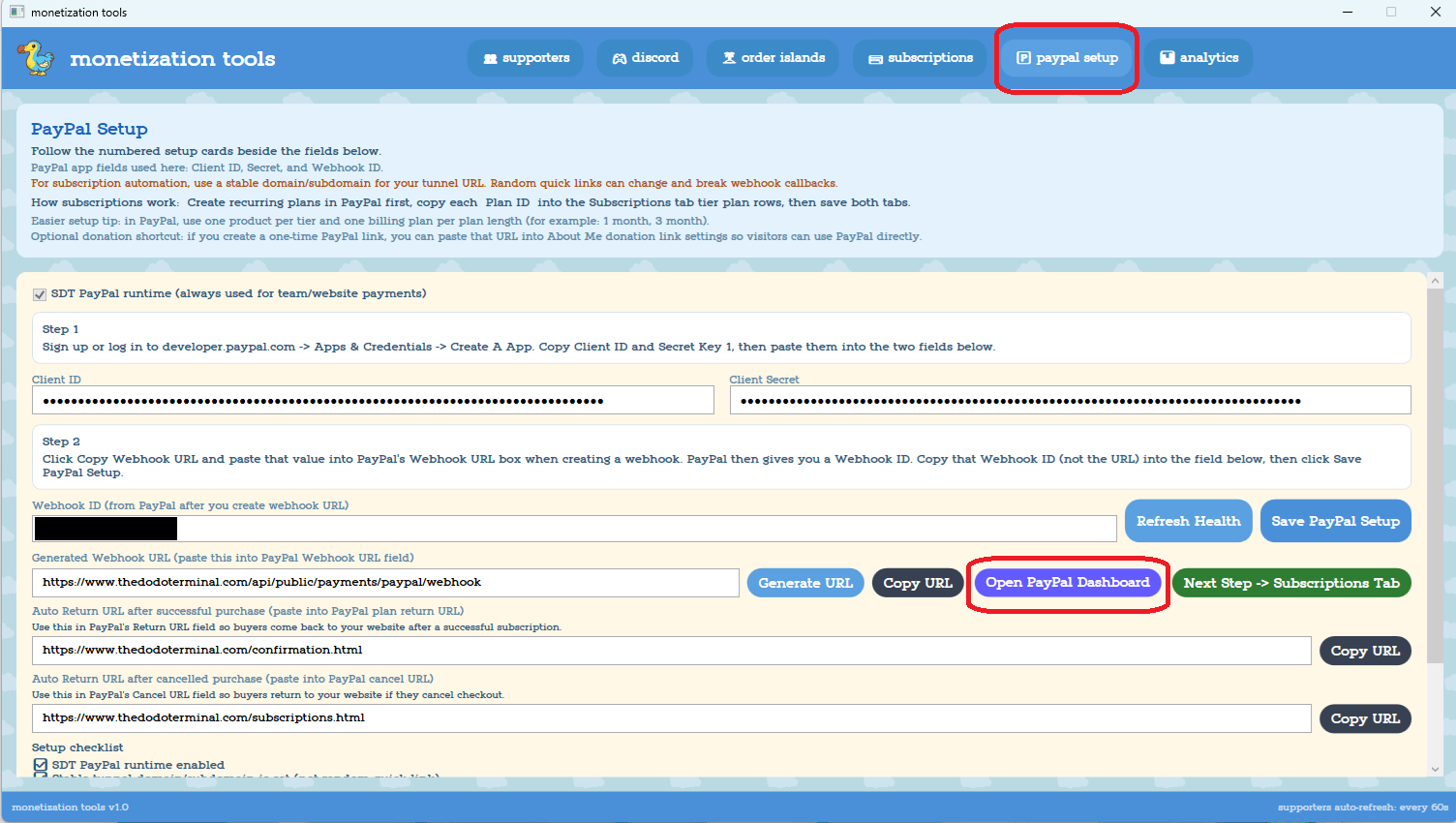
Step 2 — Create a PayPal Developer App and Connect it to SDT
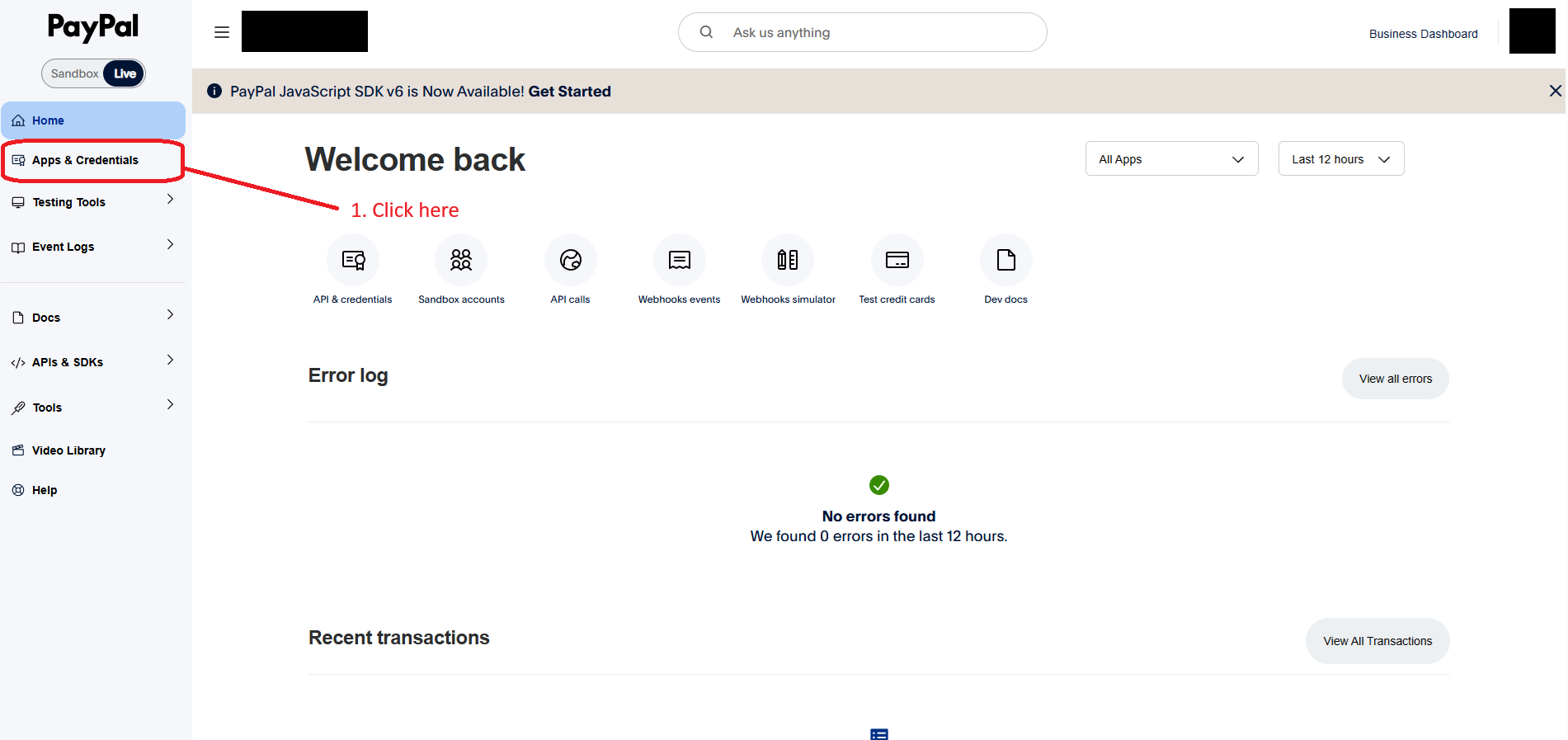
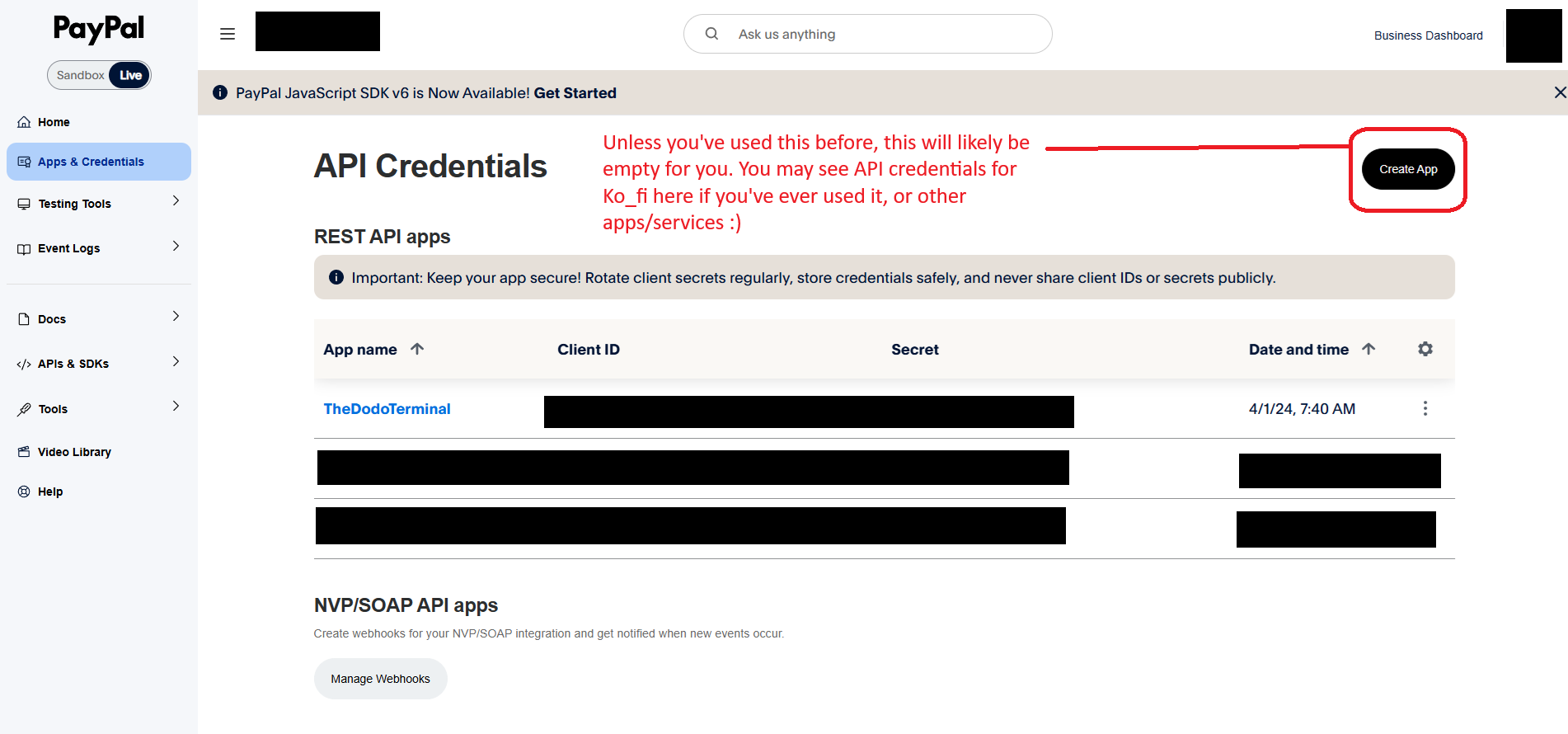
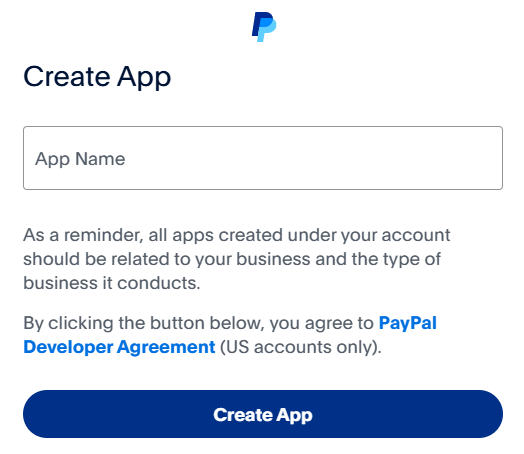
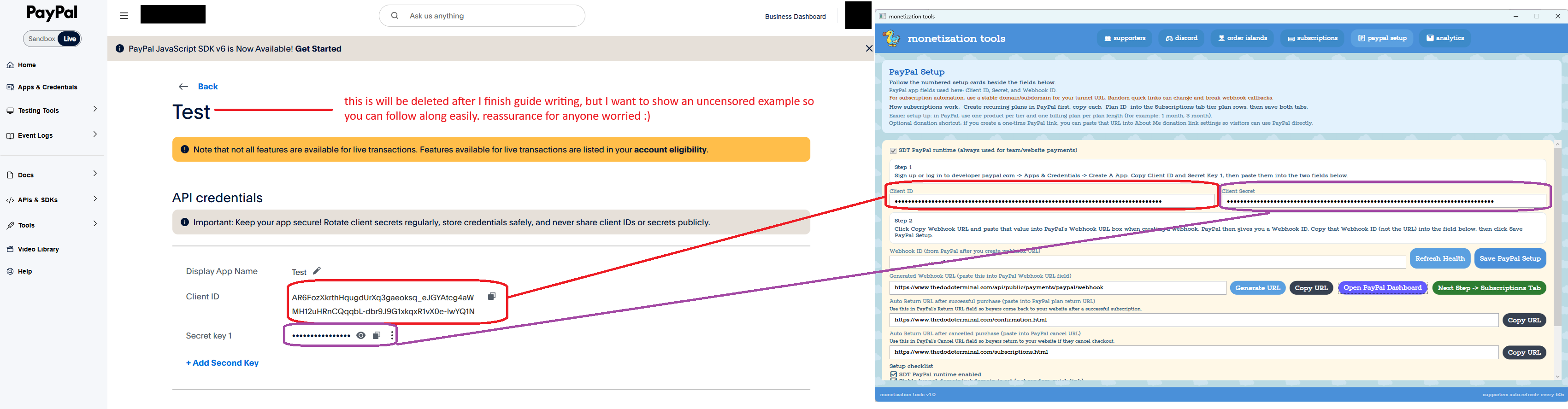
Keep the PayPal developer page open, you'll need it again in a moment.
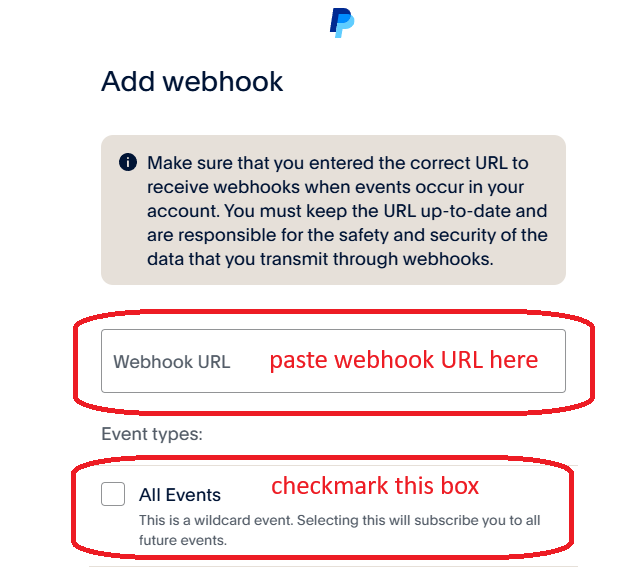
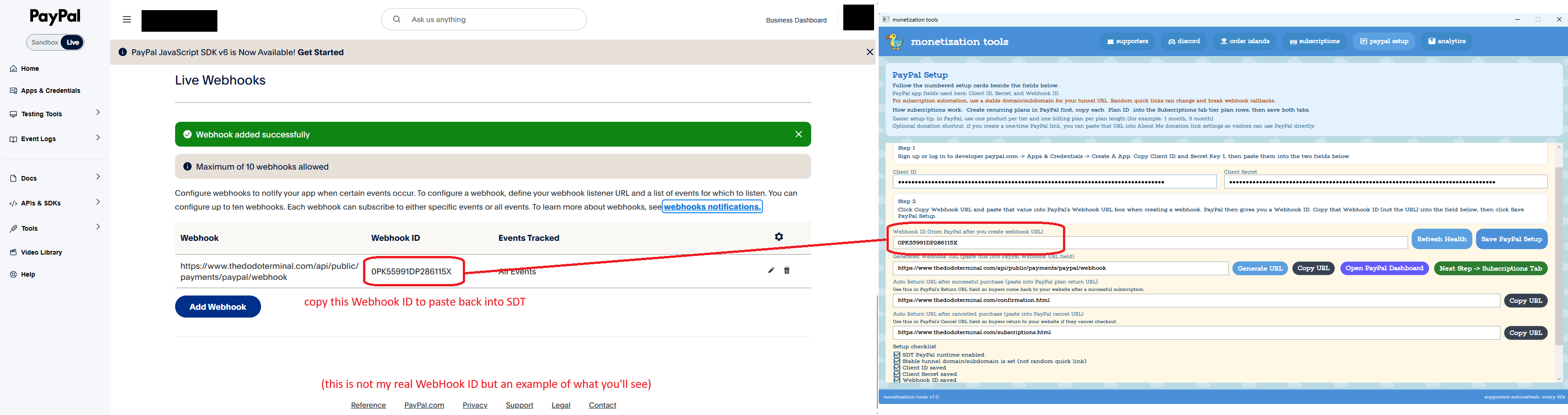
Set up the Webhook:
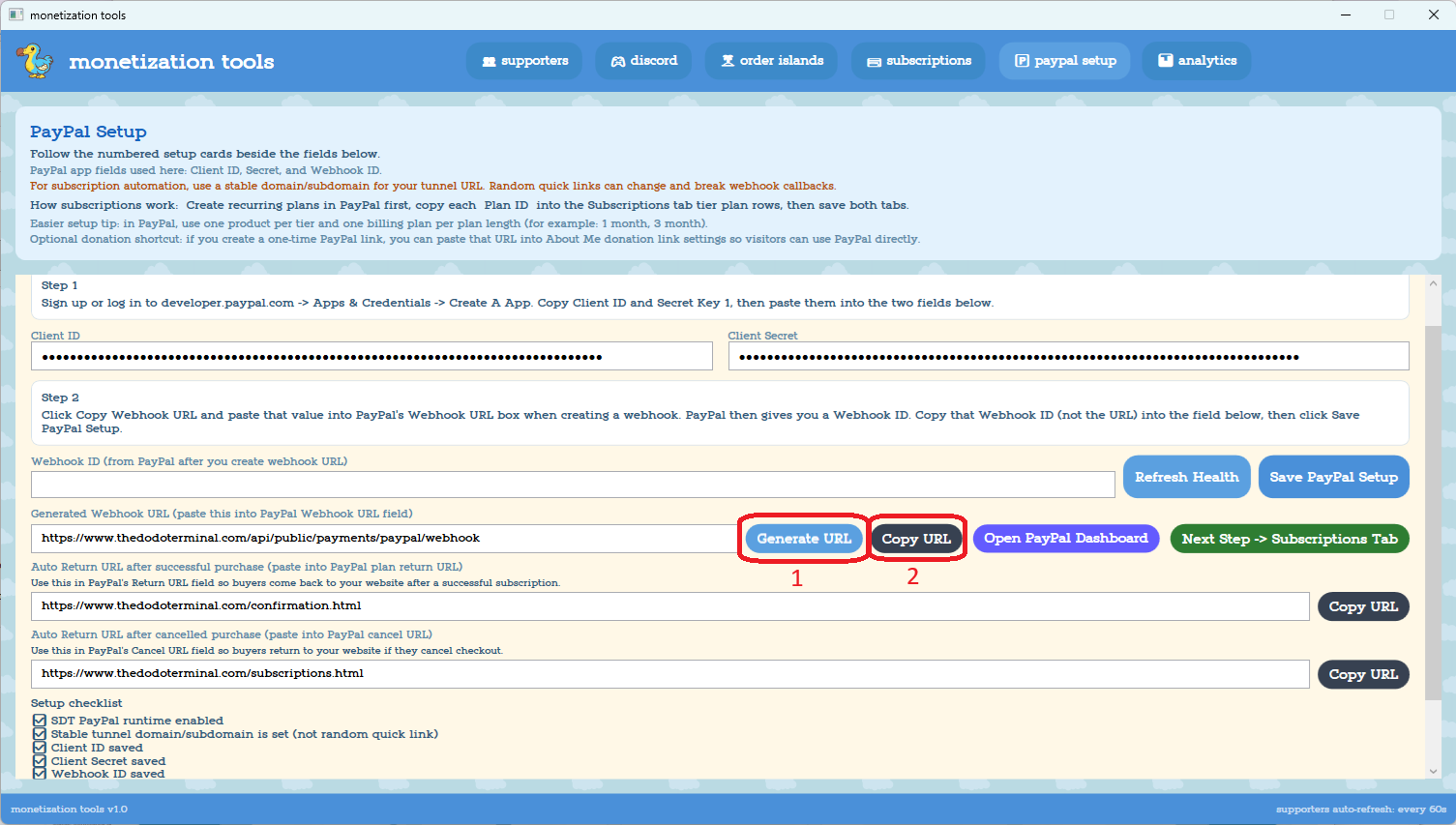
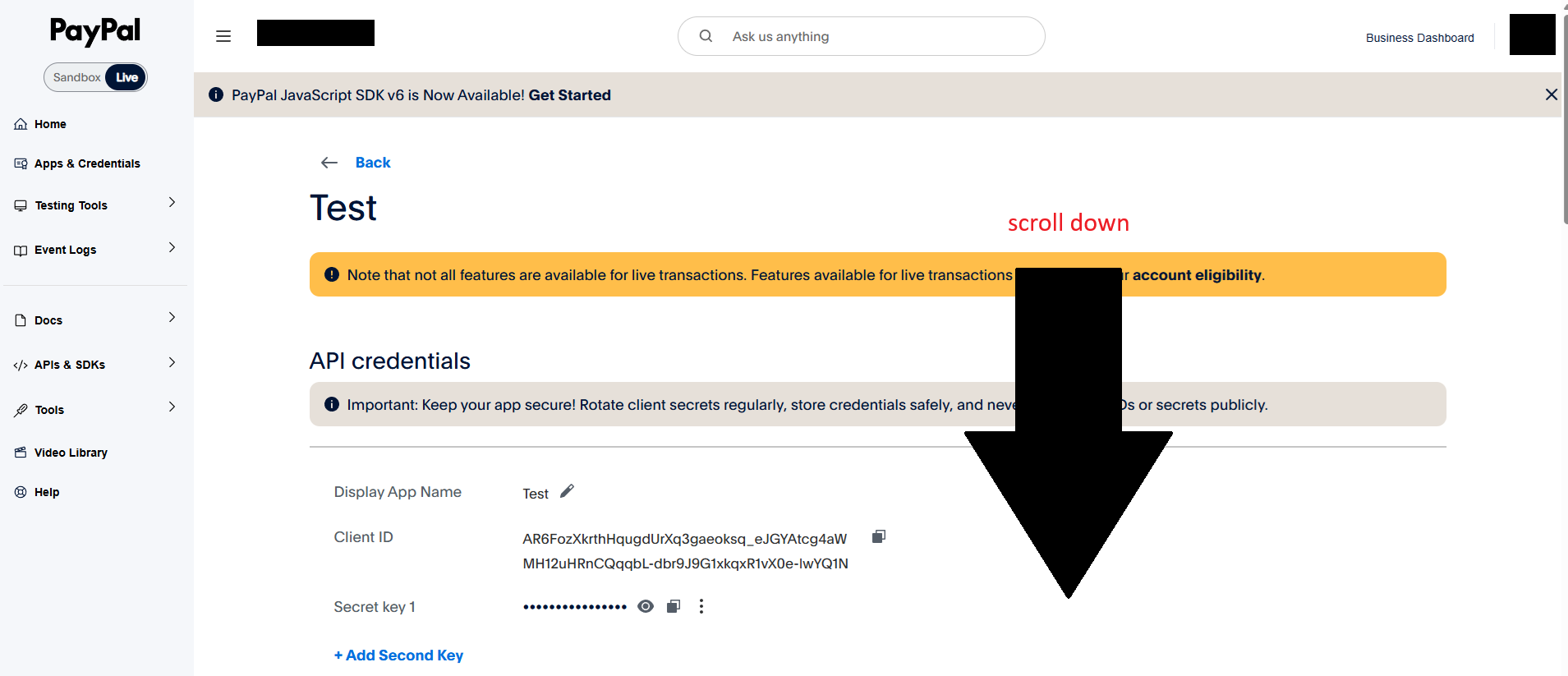
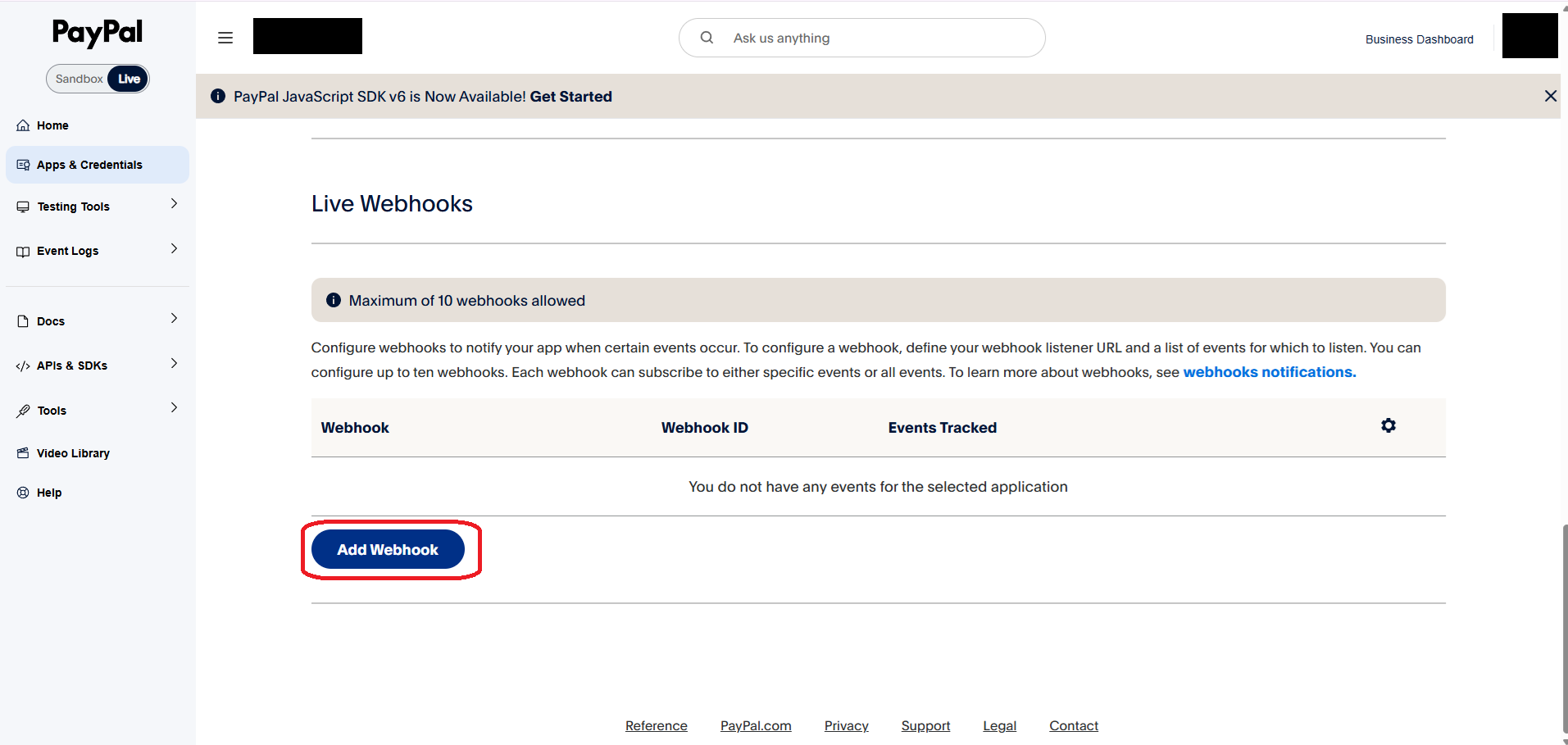
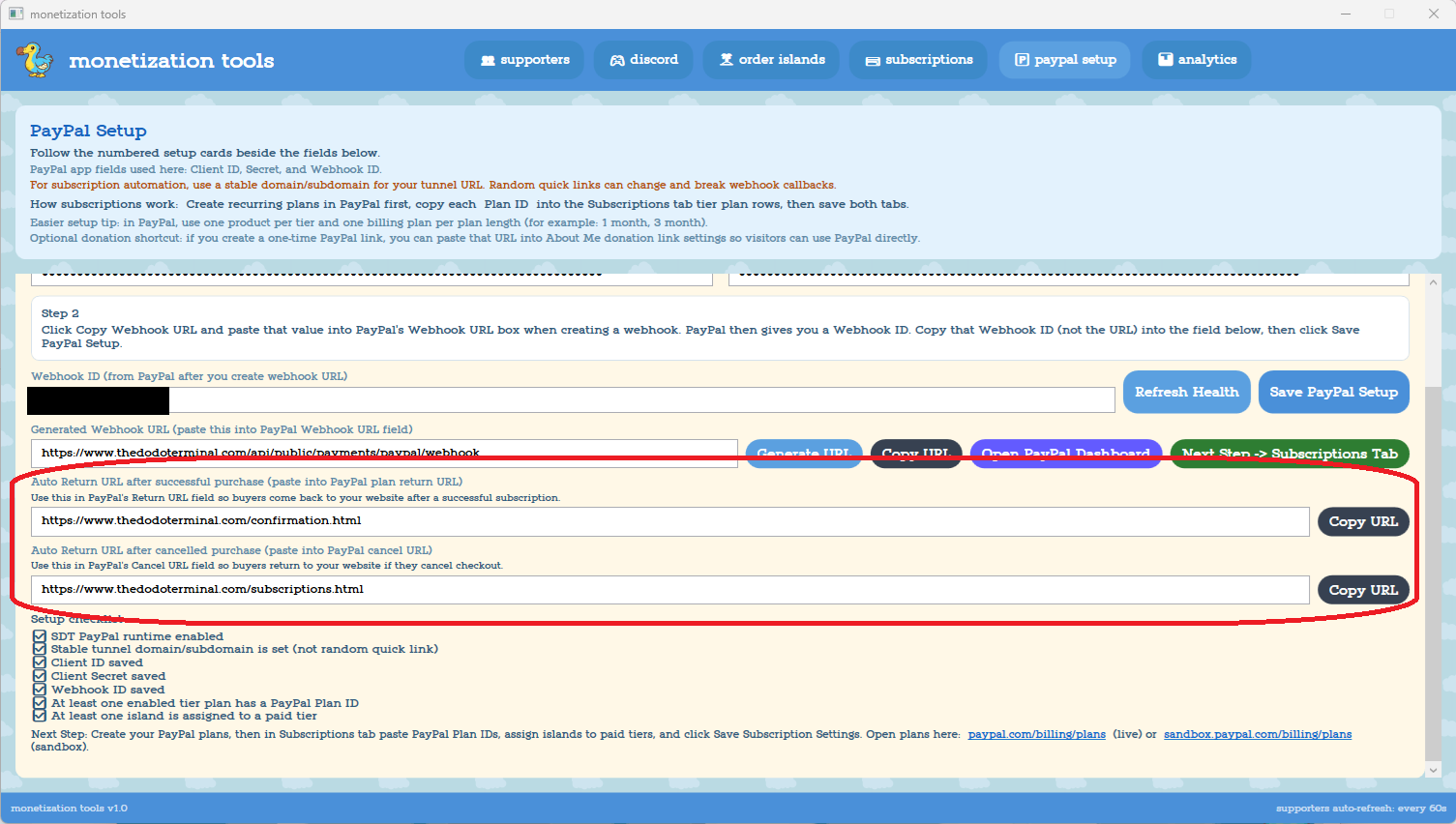
Set up Return URLs (for after checkout):
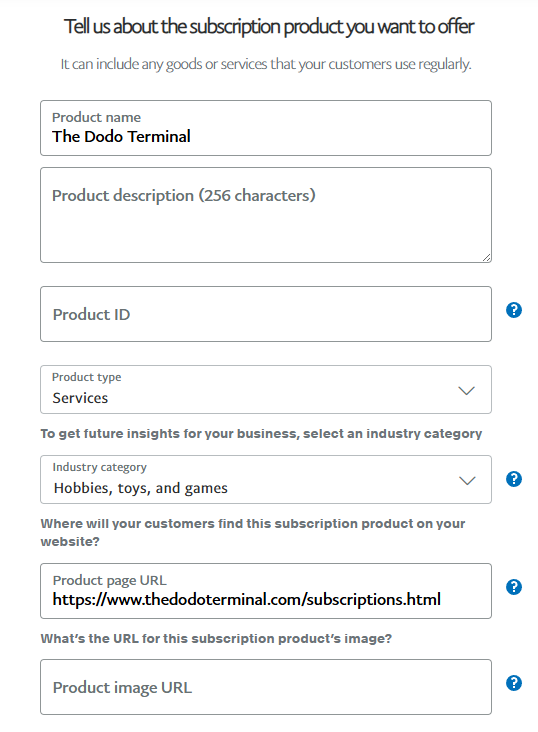
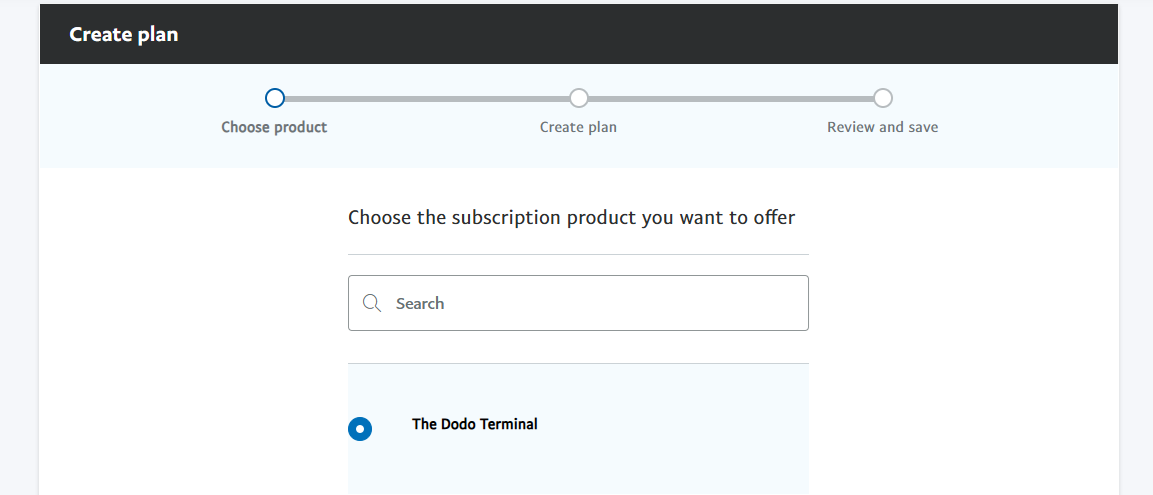
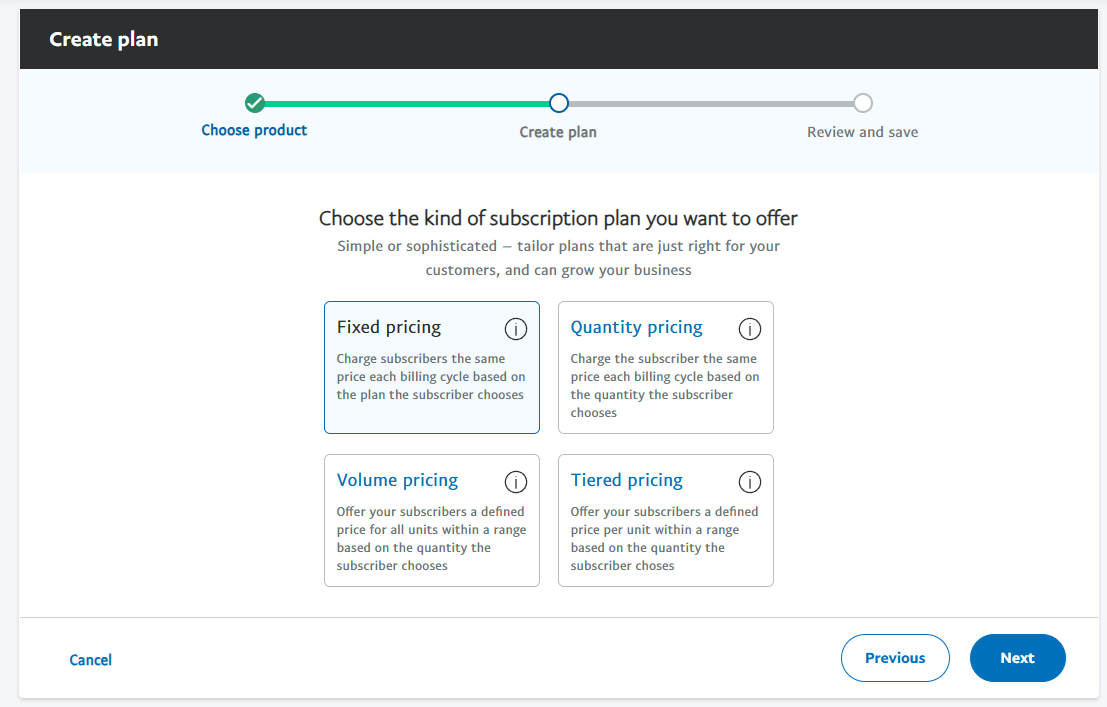
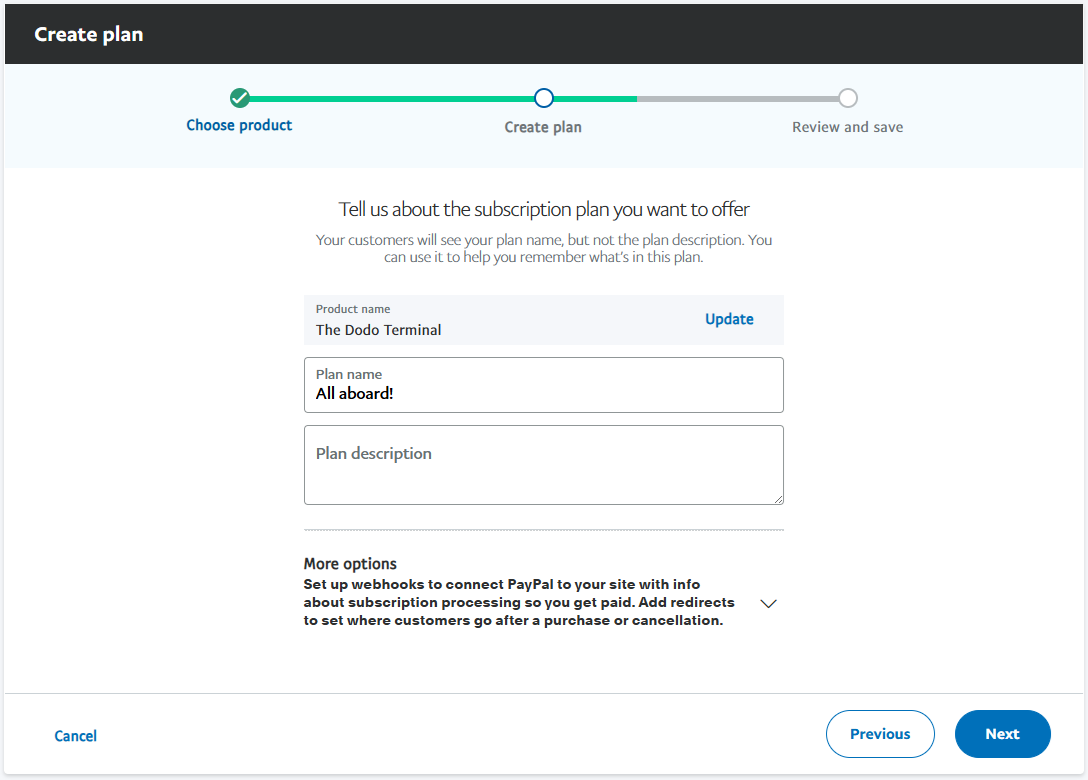
Step 3 — Create Billing Plans on PayPal
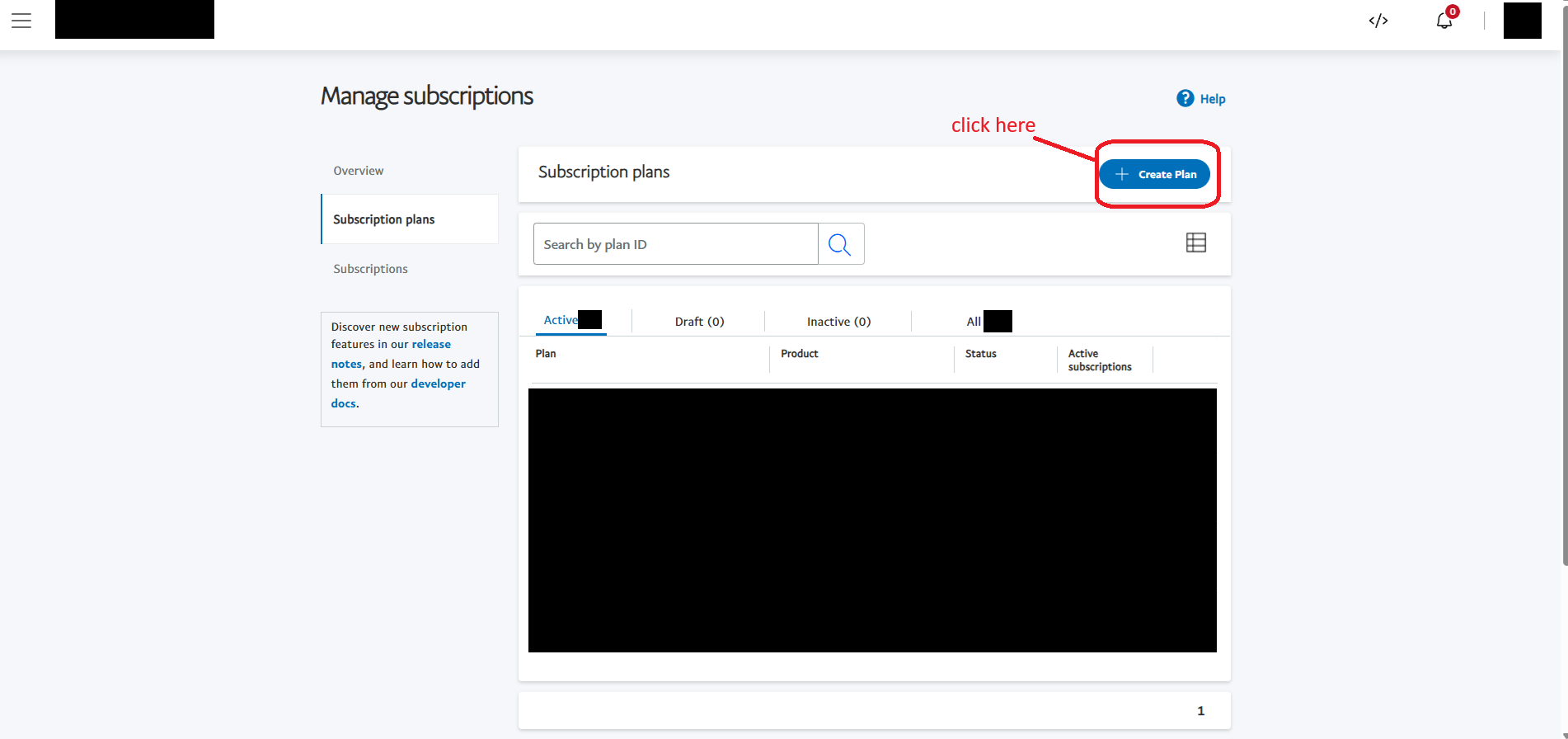

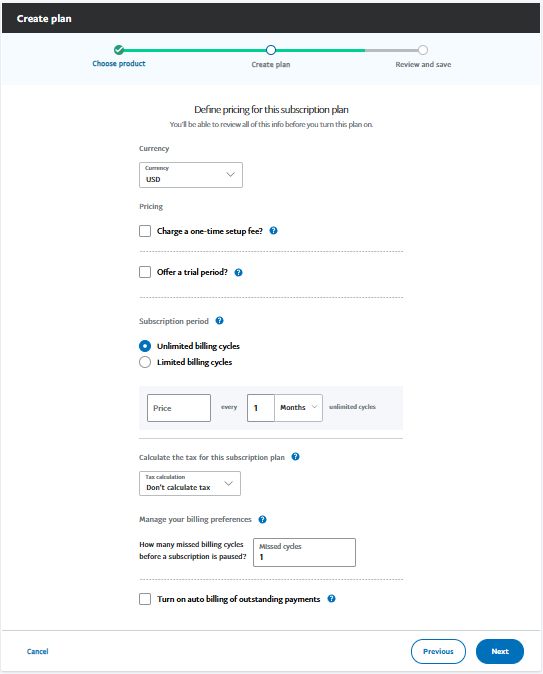
You'll also see the plan you created with a plan ID which looks something like
P-6U90599430114510XKLPOULQthis is what you copy for SDT
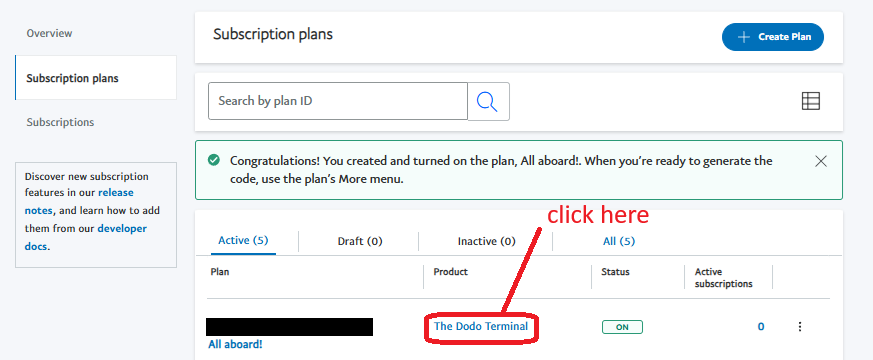
Most people will only use "1 month" subscription cycles, that means plans renew monthly. You can offer other options but you have to make a plan for each individual cycle length + assign the islands to each cycle length in SDT as outlined below. If you're new to this I recommend starting with only 1 month cycles, and only change things if players ask for more options :)
Step 4 — Set Up Subscription Tiers in SDT and connect plans
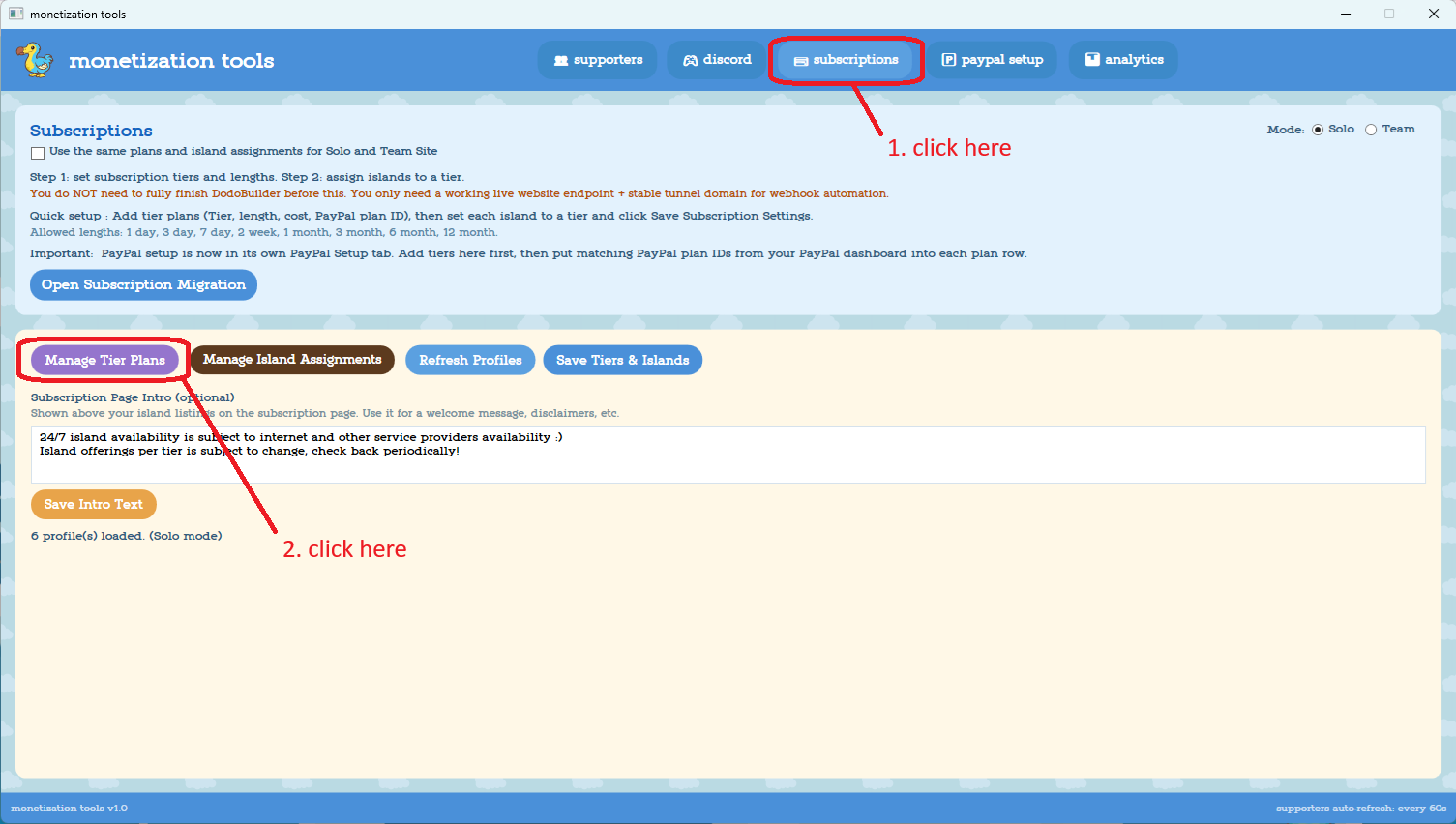
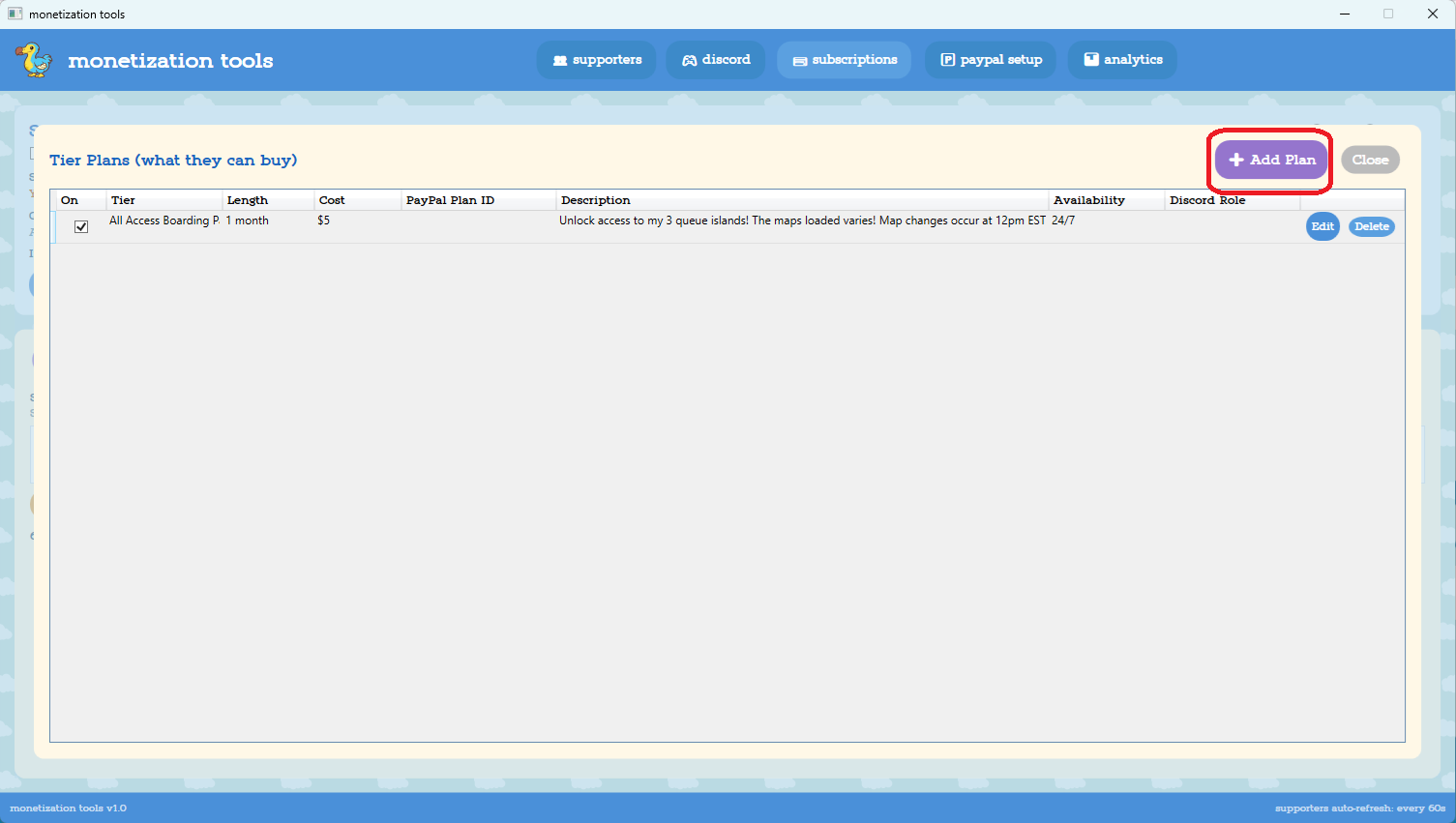
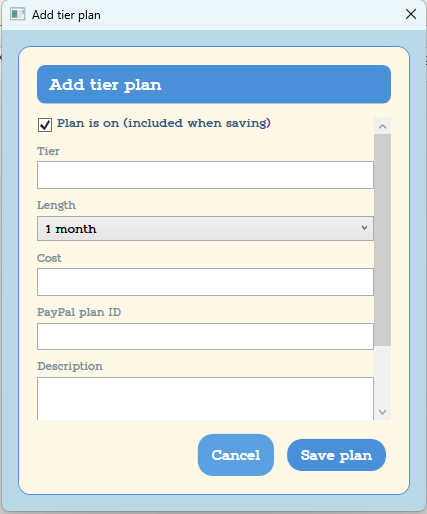
Assign islands to tiers:
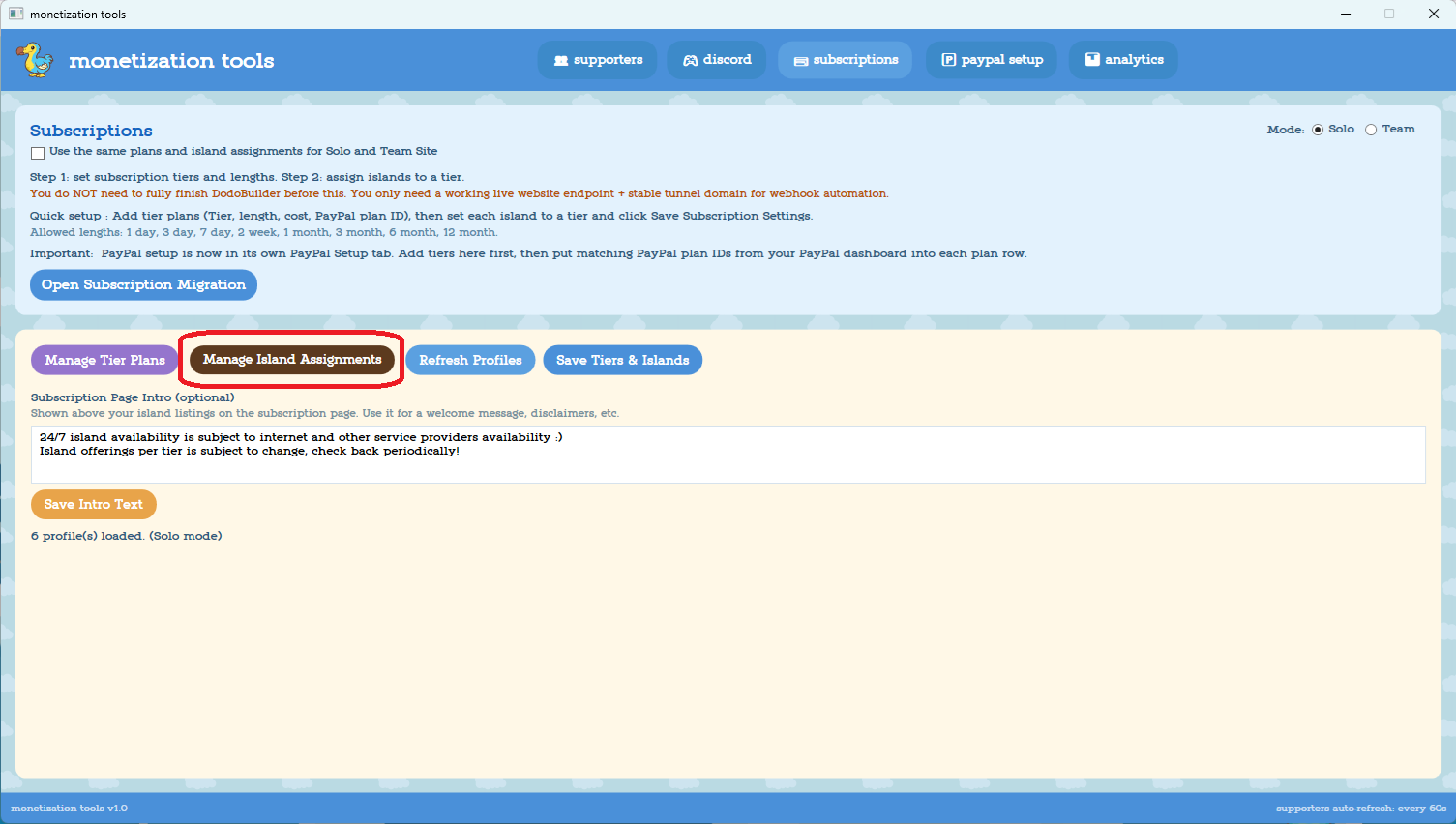
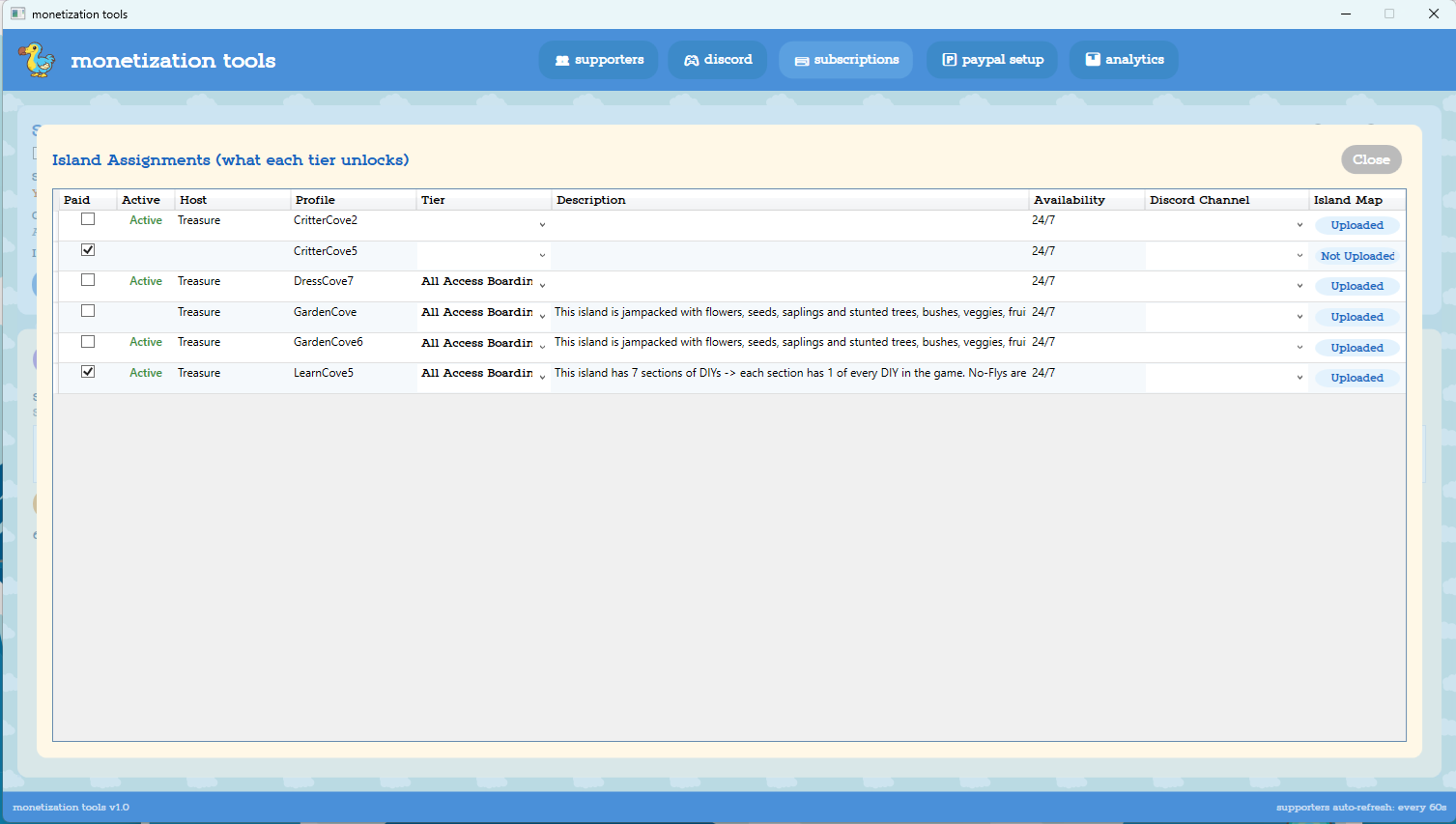
You'll see all of your current island PROFILES listed here. If you follow the recommended naming system (Island name + console number) you can track which console each profile/island is for. Useful if you want to designate certain switches as subscriber-only, just mark all profiles ending in its console number as paid
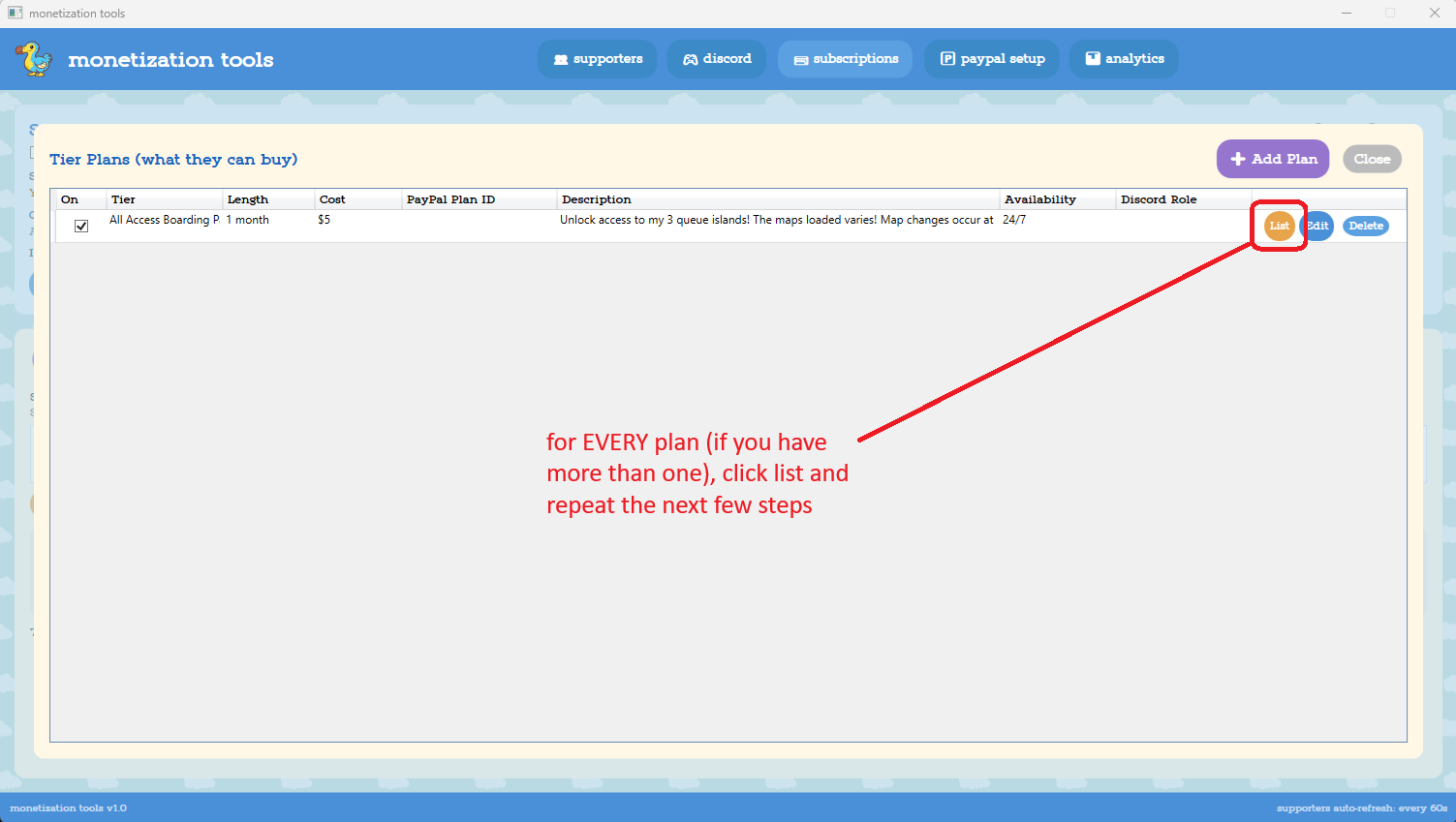
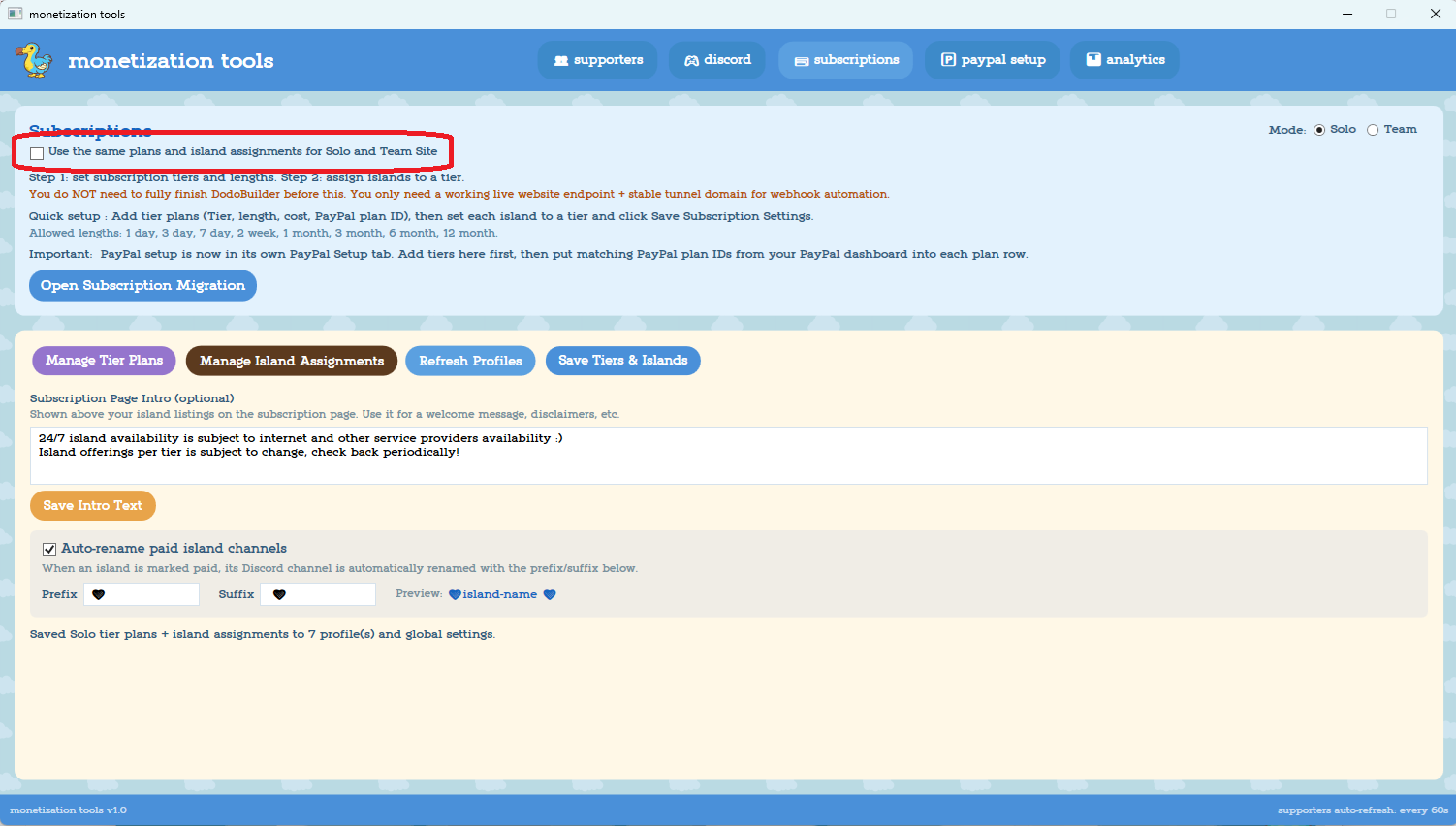
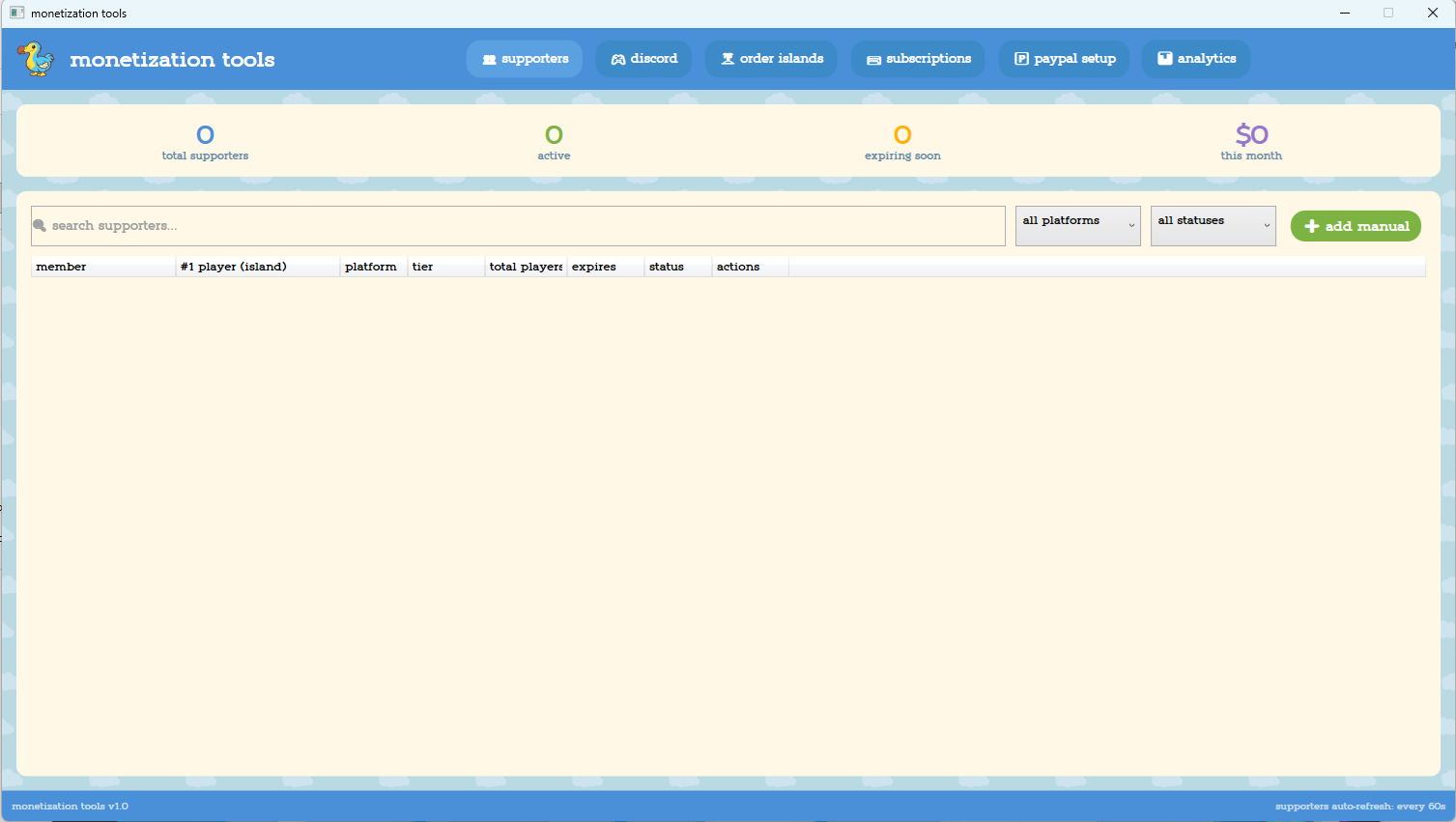
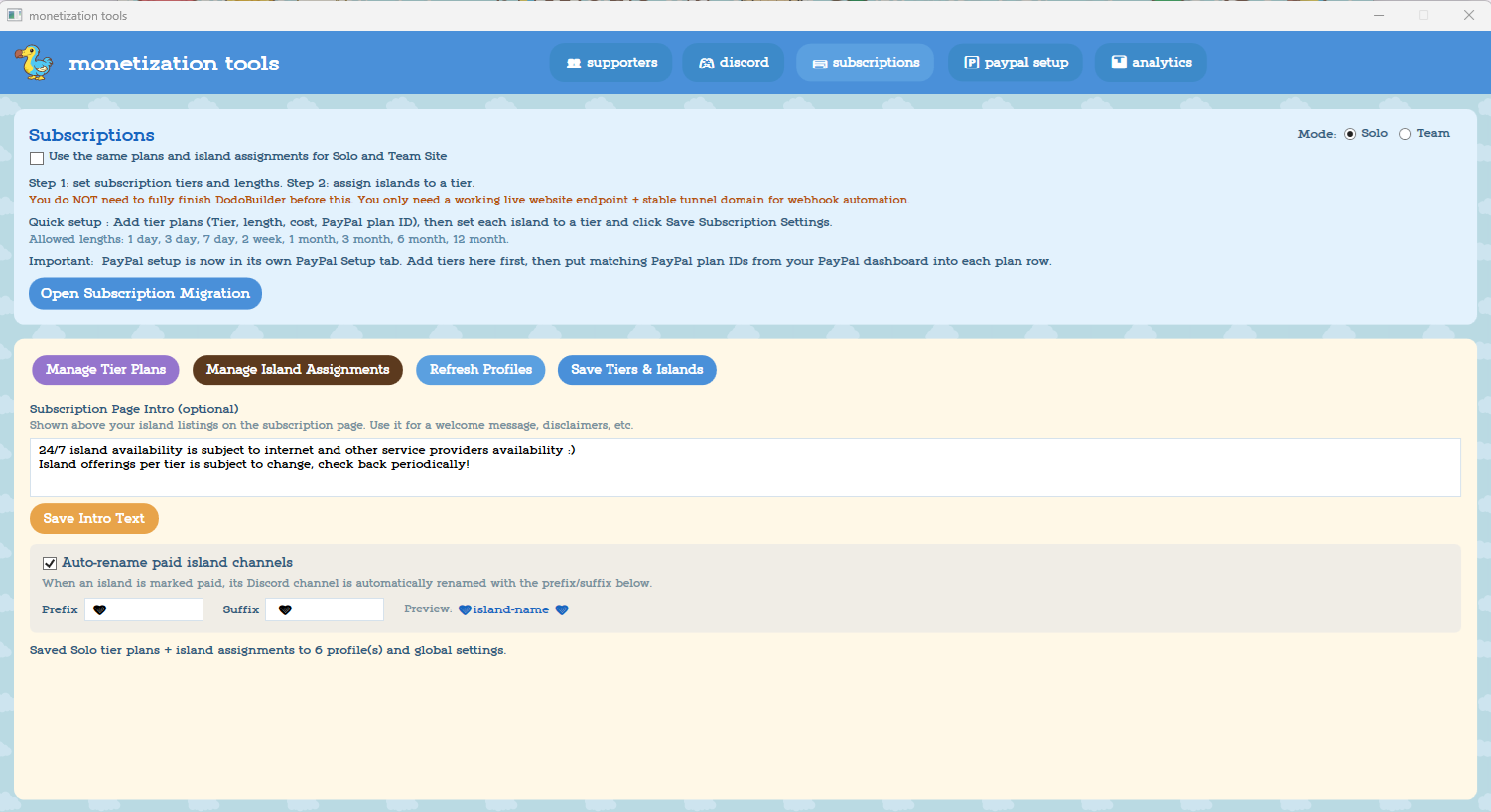
It's at this point in writing the wiki that I've realized I didn't include this in the visible UI, it's there now but I don't want to redo the last 5 screenshots so; this is likely what you see on the subscriptions tab.
Step 5 - Test it
Set-up issues for subscriptions can vary widely. If something isn't working right go back and double check the setup steps, if you still can't figure it out reach out via (invite link coming soon) or Github
