Island General Settings
This page goes over the general settings available in each island detail panel. Click the General Settingss button ( ) to open this menu. These are the general settings for each individual island. each island tile has its own general settings. Not to be confused with App-wide General settings, which uses a similar icon (minus the Settings label). The panel opened only edits the settings for the island you're viewing, it'll show the island name in the title bar (the top of the window) to make it clear.
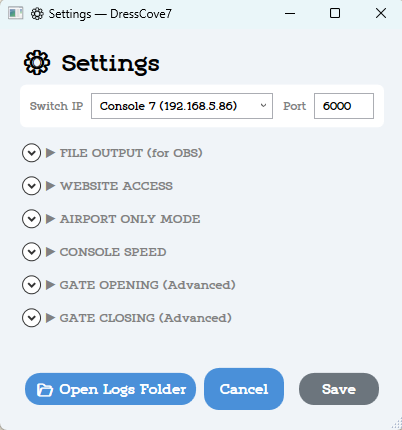
This menu is where you find settings for file output, website access, idle settings, console speed settings, and advanced gate open/close settings. Below you'll find a breakdown and explanation for each section.
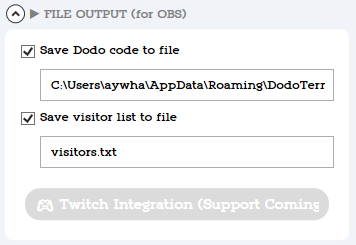
⇛ File Output
Currently unused by anything in the app suite, this is for future Twitch support.
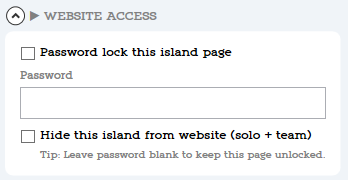
⇛ Website Access
This lets you password lock a specific island page. Very useful for closed giveaways, events, and more. Share the password to the page with the players you'd like to visit. Players must input the password before they can view the island page. All other behaviors work as they normally would.
⇛ Airport Only Mode
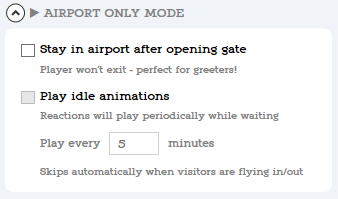
This lets you skip teleporting your player out of the airport after opening the gate, when turned on you can also enable idle animations, your player will give random reactions unless another player is flying in or out.
⇛ Console Speed
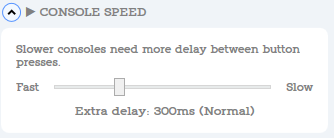
This lets you determine how long the Dodo bot should wait between button presses. If button presses seem to be happening too quickly for your console to keep up, use this to slow down the Dodo Bot.
⇛ Gate Opening (Advanced)
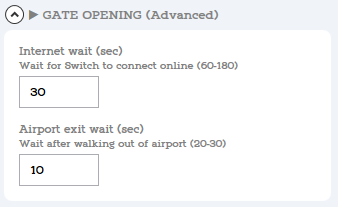
This lets you determine how long the Dodo bot waits for your internet to connect, and for the outside to load when exiting the Airport before teleporting you again.
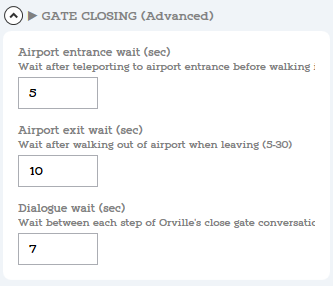
⇛ Gate Closing (Advanced)
This lets you determine how long the Dodo bot waits the inside to load when entering the Airport before teleporting you again, you can also adjust how long the Dodo bot waits for Orville's dialouge.